
AI interactive story generator — turn one moment into a story you play

Write a story idea, upload or create a fictional opening image, and choose what happens next in a photorealistic AI video story.

0/500

Add an opening image

or
AI image options

Your story sets the scene. Add visual details only if you want to.

Opening scene · 10 credits20 starter credits include your opening + first continuation.

Use fictional characters and images you have the right to use. Image and usage rules

Or borrow a beginning

Story + opening image included

How this AI interactive story generator works

With CineFate’s AI interactive story generator, you write the setup and play the result. There is no timeline or branching diagram to build: your next choice gives the story its direction.

SET THE SCENEWATCH THE OPENINGCHOOSE A PATHKEEP PLAYING

SET THE SCENE

Start with the people, place and tension. Add a fictional opening image to establish the first frame and your character’s appearance. Use an example to add an editable premise and opening image, upload your own image, or create one with AI. Optional refinement helps you clarify the opening.


WATCH THE OPENING

CineFate turns your setup into an AI video scene. Watch the encounter unfold before deciding where to take it. Your story stays in your account so you can return to the same path.

CHOOSE A PATH

While you watch, two text choices are prepared. Ask the difficult question or let the moment pass. Once you choose, CineFate generates that next video scene; the other option does not become part of your story.

KEEP PLAYING

Each continuation builds on the path you selected. Use credits to keep going, or pause and return later. New stories prepare two possible continuations while you watch. A scene may still need time to finish. Pausing or leaving stops new preparation; accepted work may finish in the background.

Your choices shape the story’s context. A secret you uncover or a relationship you change helps guide the next scene.

A familiar character. A story that follows your choices.

Keep the person you started with at the heart of the story.

Your opening image remains a character reference as the story continues. Each new scene also uses the previous scene’s final frame, helping connect the person, setting and action you just watched. AI-generated details can vary between scenes.

Let what happened change what happens next.

If you ask about the letter, that conversation becomes part of the selected path. If you walk away, the story follows that decision instead. CineFate carries selected events and relationships forward to guide later scenes; it does not treat an unchosen option as something you did.

One encounter. Your next move.

Start with a moment that could go more than one way. A reunion, a stranger with a secret, an unfinished goodbye: write yourself into the scene, then choose how the encounter unfolds.

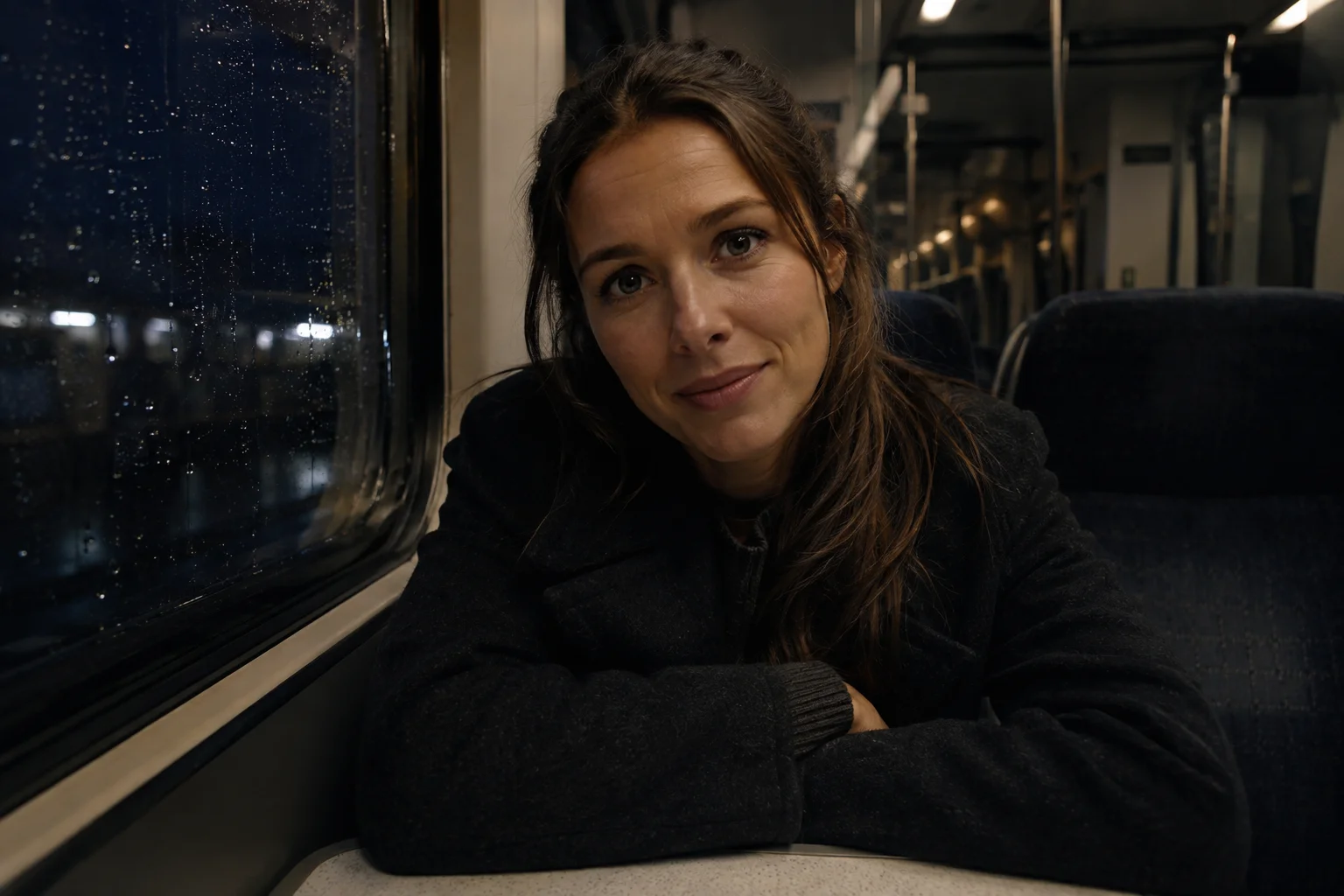
First-person scene illustration of a woman sitting opposite you on a night train, waiting to speak.
AI-generated

Last train

She came back for a reason. Across the carriage, she waits for you to ask. Find out what changed, or talk about the years you missed.

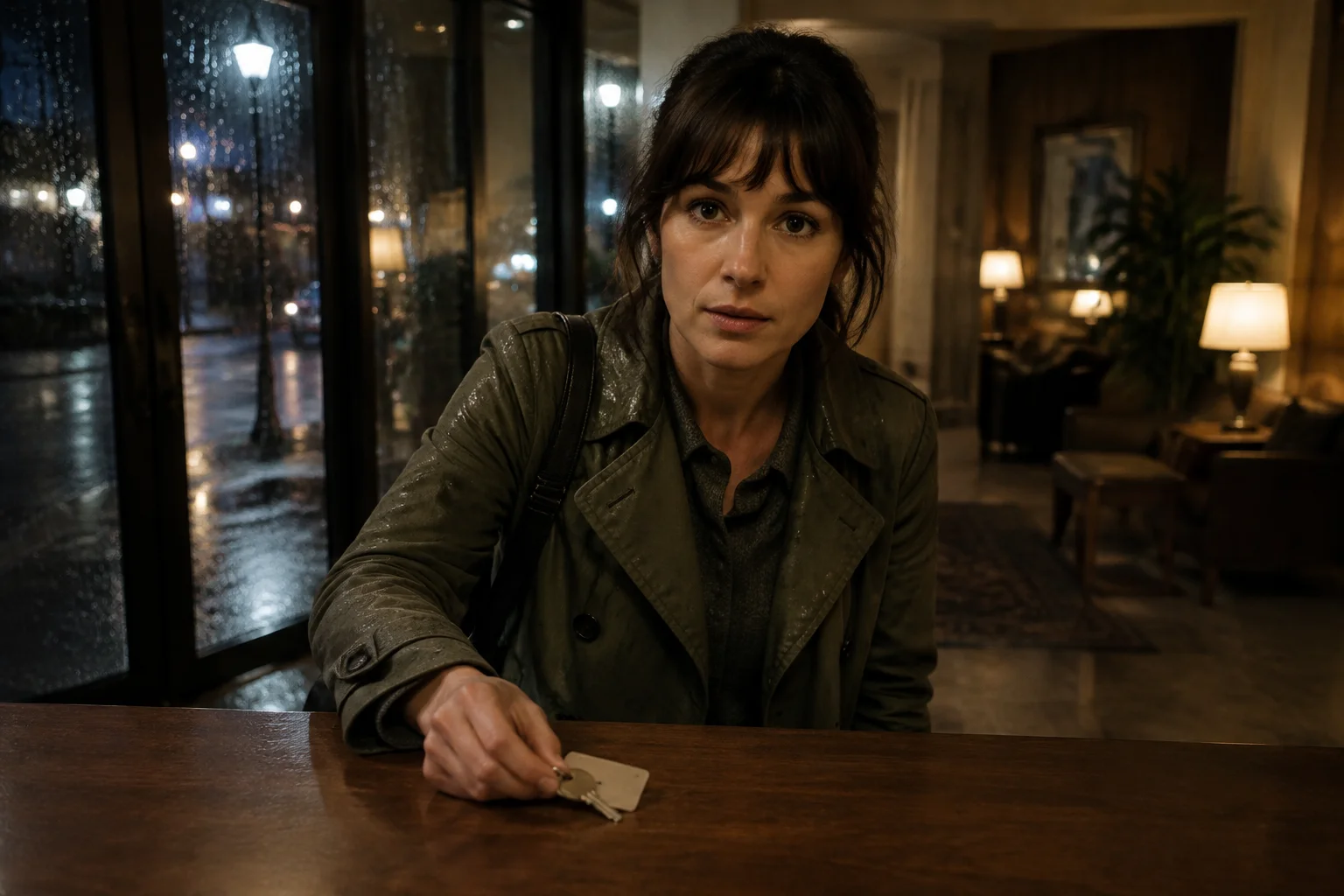
First-person scene illustration of a rain-soaked guest holding a room key across a hotel reception desk.
AI-generated

The witness

A guest arrives from the rain with a key to an unbooked room. Ask where she got it, or go upstairs together to see what is behind the door.

First-person scene illustration of a woman offering you a sealed letter in an airport waiting area.
AI-generated

Unsent flight

The flight is canceled. Before you can leave, she hands you a letter. Read what she could never say, or ask her to tell you herself.

AI-generated scene illustrations showing example story ideas.

Keep your story going.

Choose monthly Story Credits or a one-time pack. Every scene costs 10 credits, including the opening.

FAQ

What is an AI interactive story generator?

An AI interactive story generator creates a story you influence while it unfolds. In CineFate, you write a premise, add a fictional opening image, and watch the result as video. At each decision point, two text choices let you guide the next scene. You create and play your own story without writing a complete script or building a game.

Does CineFate generate text or video?

The story plays as photorealistic AI-generated video scenes. Text sets up the premise and describes your choices. You can start with a quiet conversation, a mystery or an emotional reunion. For a first-person story, describe yourself in the scene and use an opening image framed from your point of view. The images shown above illustrate story ideas; they are not recordings of completed runs.

How do the choices work?

Each decision offers two text choices. New stories prepare two possible continuations while you watch. Pick one to continue after the current scene. Only your selected scene is charged and joins the story’s path; the unused video is not part of your story. Later choices build on what you selected, so you do not need to plan every branch before you start.

What kind of opening image can I use?

Use a clear image of a fictional character you created, generated, commissioned or otherwise have the right to use. Show the face and setting you want in the opening; avoid text-heavy posters or collages. Examples include an opening image you can use. You can also create an opening image with AI from your story idea, then review it before starting. The image must be SFW. Do not upload celebrities, identifiable real people or copyrighted characters you do not control.

How long does a choice take to generate?

New stories prepare the next two branches while you watch, helping shorten the wait after a choice. If your scene is still being prepared, the player holds the current frame and shows progress. Generation time varies. Older stories generate after each choice. You can leave and return later: an accepted generation continues in the background, and your story keeps its selected path.

Do I need an account, and what does it cost?

Yes. Verify your email before generation begins; your setup stays with you through sign-up. Each account receives 20 starter credits, enough for the opening and your first selected continuation. Each scene uses 10 credits. To continue, choose monthly or yearly credits, or a permanent credit pack. Credits are reserved when you request a scene and charged on delivery. Failed generation restores the credits. Completed scenes remain charged if you do not watch them or later delete them.

How long can my story continue?

There is no fixed number of scenes or forced ending. Continue the same story while you have credits, or pause at the current point and come back later. When credits run out, your story stays saved. You can also end the story yourself. CineFate does not offer unlimited generation.

How long do you keep my story and opening image?

They stay in your account until you delete the story. Deleting a story removes its opening image, story state and generated videos; deleting your account removes your stories and images. If a generation is already running, it finishes and any credit adjustments complete before deletion is finalized. Separate AI preparation requests and generated images remain until account deletion. Clear in the composer removes your local draft only. Required transaction records are retained.

Is my opening image used for training or other users?

No. Your opening image is used for your story, not for model training or another user’s story. It is not automatically reused when you start a new story. You choose the image and premise for each new encounter.

Bring a story idea. Upload, create, or choose a fictional opening image, then watch the opening and make your first choice.

Start story

Your opening and first continuation are included after email verification.